
Best Animated Icon Libraries for React That Actually Look Good
Four animated icon libraries for React that add smooth hover effects, pulses and micro-interactions without slowing your app down.
 RazakTerra
- Reading time
- 3 min read
- Comments
- Discussion

Finding the right animated icon library can save a lot of time when you want your interface to feel more responsive. Static icons still work fine for many projects, but a well-timed hover effect, soft pulse, or clean draw-on animation often makes the whole UI feel more polished and intentional. Here are four options that are worth trying right now.
LivelyIcons
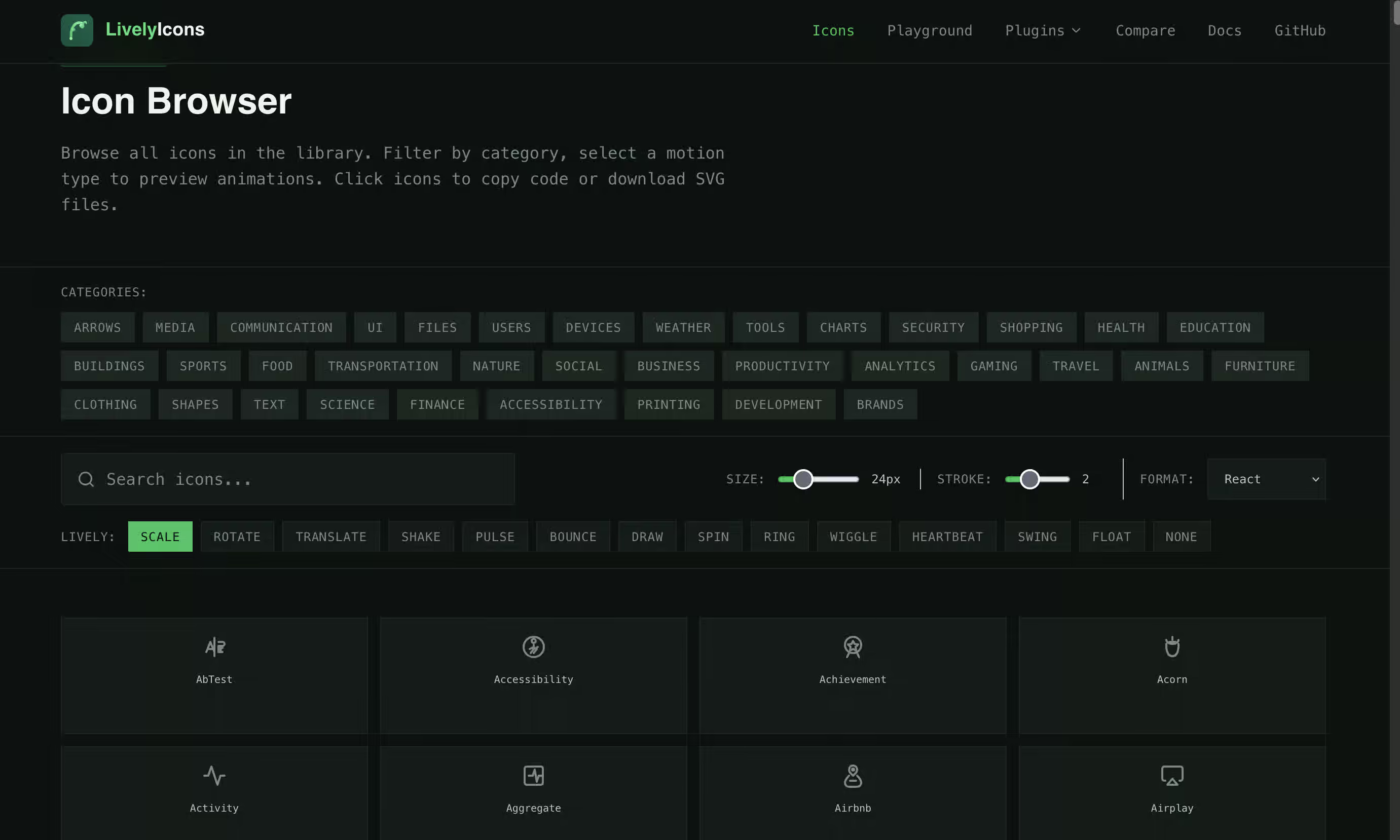
LivelyIcons ships more than 1,300 animated SVG icons built specifically for React. It runs on Motion and offers 14 different animation styles including scale, rotate, pulse, bounce, draw, spin, ring, wiggle, heartbeat, swing, and float.
You can trigger the animation on hover, loop it, play it on mount, or start it when the icon comes into view. Everything is typed, tree-shakeable, and respects reduced-motion preferences. This library works well when you want a large set of ready-to-use animated icons without writing custom motion code.
AnimateIcons
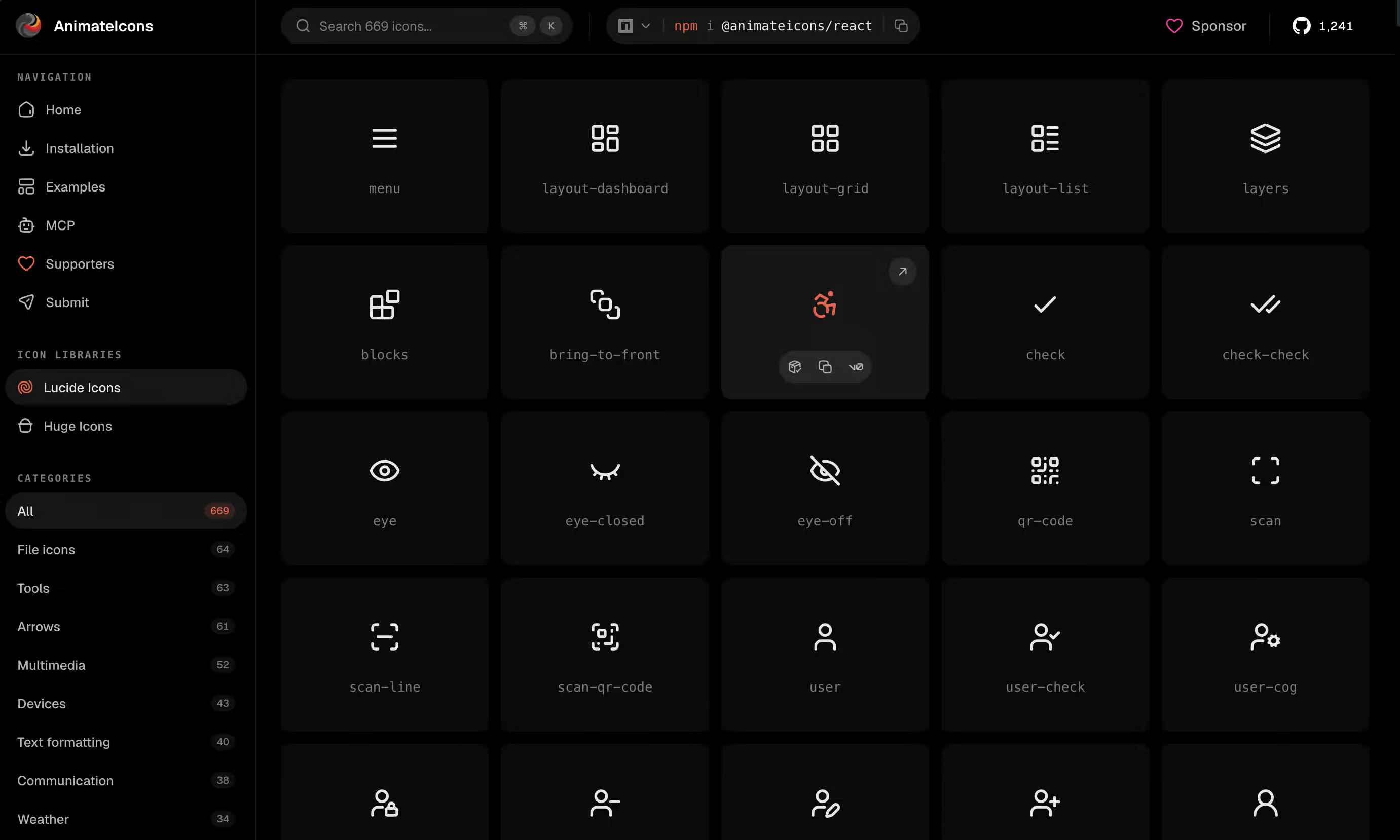
AnimateIcons currently offers over 1,170 animated SVG icons for React. They are built with motion/react and based on popular sets like Lucide and Huge Icons. Icons animate on hover by default, and you can control size, color, duration, and triggers such as hover, click, or both.
The library is free and open source under the MIT license. You can install the package or pull individual icons into your project with their CLI. It stays lightweight and works well with Next.js. This is a good option if you want clean micro-interactions without adding a heavy animation system.
CSSVG Icons
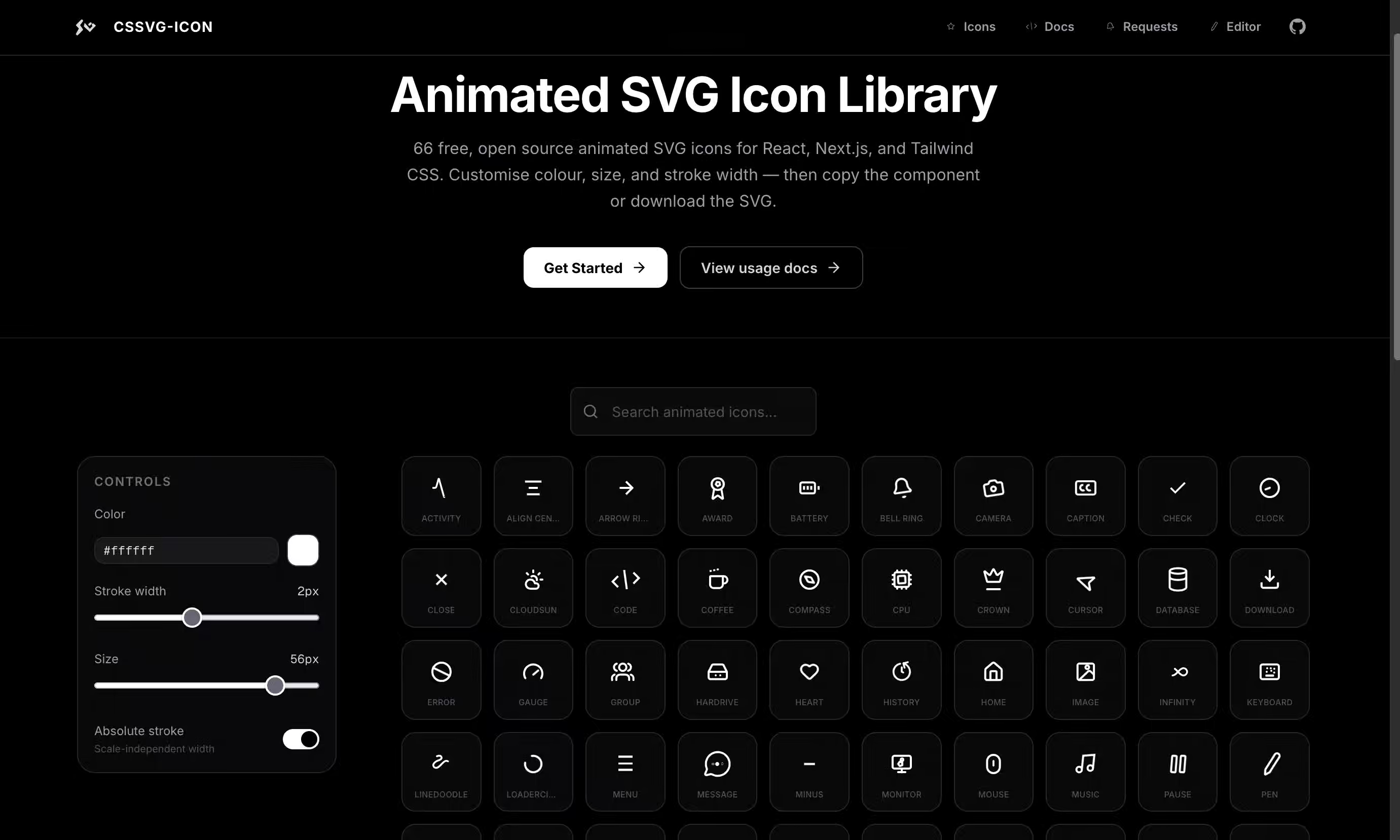
CSSVG takes a different approach. Instead of shipping a JavaScript animation library, it uses pure SVG animations (SMIL) or CSS keyframes. The icons are self-contained and carry almost no runtime cost, which helps with performance and Core Web Vitals.
There is a visual editor at cssvg.com where you can tweak animations and export them as CSS, SMIL SVG, or React components. The cssvg-icons package makes them easy to use in React and Next.js projects, with simple controls for continuous or hover-only playback. This library is useful when bundle size and performance matter more than complex interaction logic.
Material Line Icons (line-md)
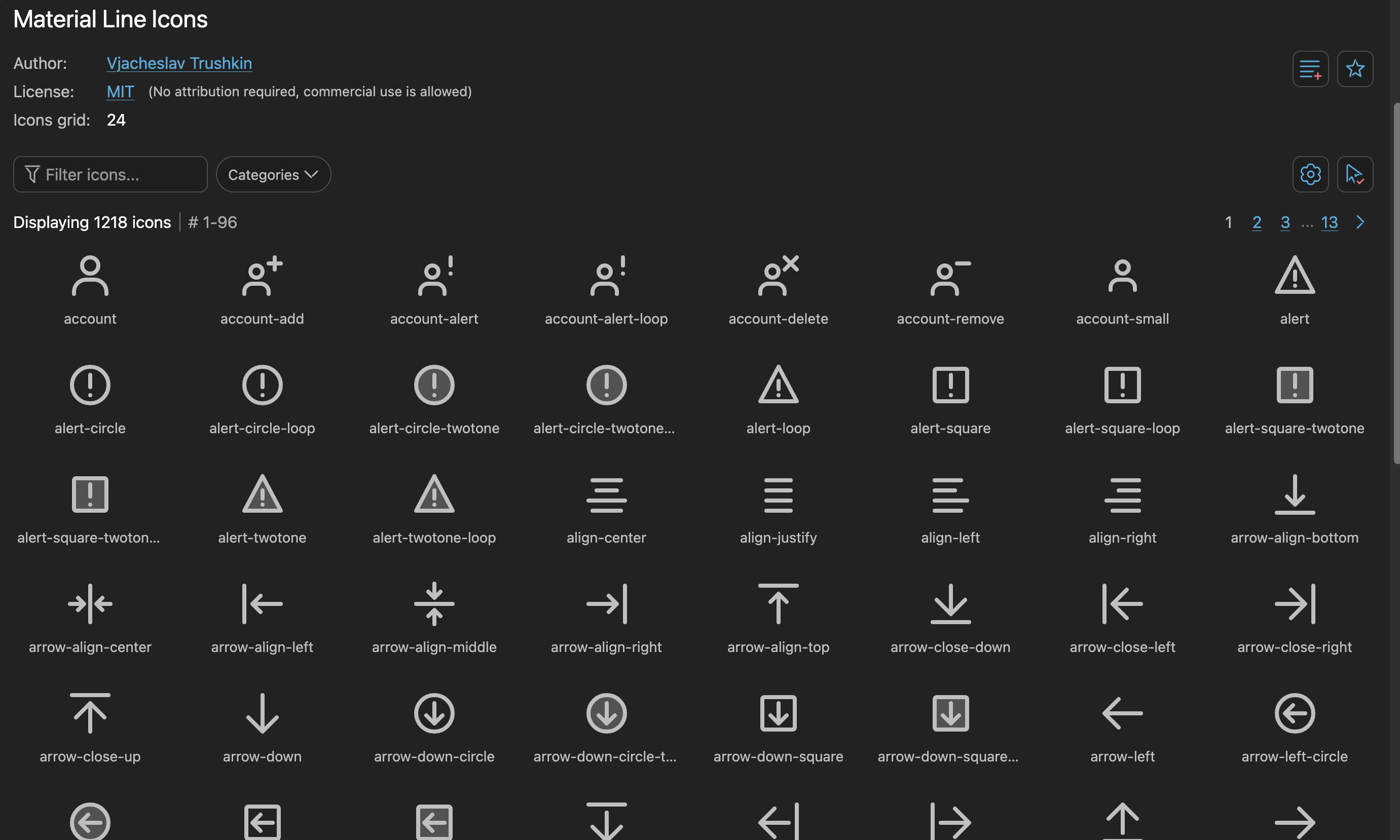
Material Line Icons (the line-md set on Iconify) follows Material Design guidelines with clean line and two-tone styles. Most icons animate on first render using modern SVG animations, so no JavaScript is needed. Some versions loop, transition between states, or fade out.
You can browse the full collection on Iconify and use the icons in almost any framework. They stay consistent and work especially well in apps that already lean toward Material Design.
Summary
All four libraries solve the same basic problem of making icons feel more responsive, but each takes a different approach:
- LivelyIcons focuses on a large ready-made set with many motion styles and trigger options.
- AnimateIcons prioritizes clean, lightweight micro-interactions based on popular icon sets.
- CSSVG Icons removes the JavaScript runtime entirely and keeps file size tiny.
- Material Line Icons delivers consistent Material-style animation with zero extra dependencies.
Choose based on what you need most: variety and control, simplicity, performance, or design consistency.
Comparison Table
| Library | Icon Count | Animation Approach | Runtime Cost | Best For | Framework Focus |
|---|---|---|---|---|---|
| LivelyIcons | 1,300+ | Motion (14 styles + triggers) | Medium (Motion) | Large set + flexible control | React |
| AnimateIcons | 1,170+ | motion/react (hover/click) | Low–Medium | Clean micro-interactions | React / Next.js |
| CSSVG Icons | Growing | SMIL / CSS keyframes | Near zero | Performance & small bundles | React / any |
| Material Line Icons | 1,200+ | Native SVG animations | Zero | Material Design consistency | Any (via Iconify) |
Written by
Razak
Writes about the web, slowly, and builds small tools on the side.
Keep reading
Read next
 9 min
Octoverse 2026: Commits Hit Record Highs as Developers Build with Agents
GitHub's Octoverse 2026 counted 34.3 billion commits and found that over 40% of pull requests now start as an agent's draft. Here is what the numbers mean, and what they mean for you as a developer.
Read article 7 min
Best Image Converter Toolkits in 2026: Fast, Lossless Image Processing
Looking for the best image converter toolkits? Compare top tools like PackCamo, Squoosh, and CloudConvert for fast, high-quality, and secure image processing.
Read article 8 min
What Is Cache Storage? The Cache API Explained
Cache Storage keeps whole requests and responses in the browser. Learn the Cache API, how offline sites use it, and cache-first vs network-first, live.
Read article
Discussion
Comments
Loading comments…